

Reader
Convert a URL to LLM-friendly input by prepending
r.jina.ai.Reader API
Convert a URL to LLM-friendly input by prepending
r.jina.ai.globe_book
Use
r.jina.ai to read a URL and fetch its contenttravel_explore
Use
s.jina.ai to search the web and get SERP
Add
mcp.jina.ai as your MCP server to use our APIs in LLMscurl "https://r.jina.ai/https://www.example.com"jina-ocr-v1: Faster Document Parsing on Low-Budget GPUs
A 3.4B mixture-of-experts document parser that activates only 570M parameters per token. It reads a page image and returns Markdown with text, formulas, tables and reading order in a single pass.
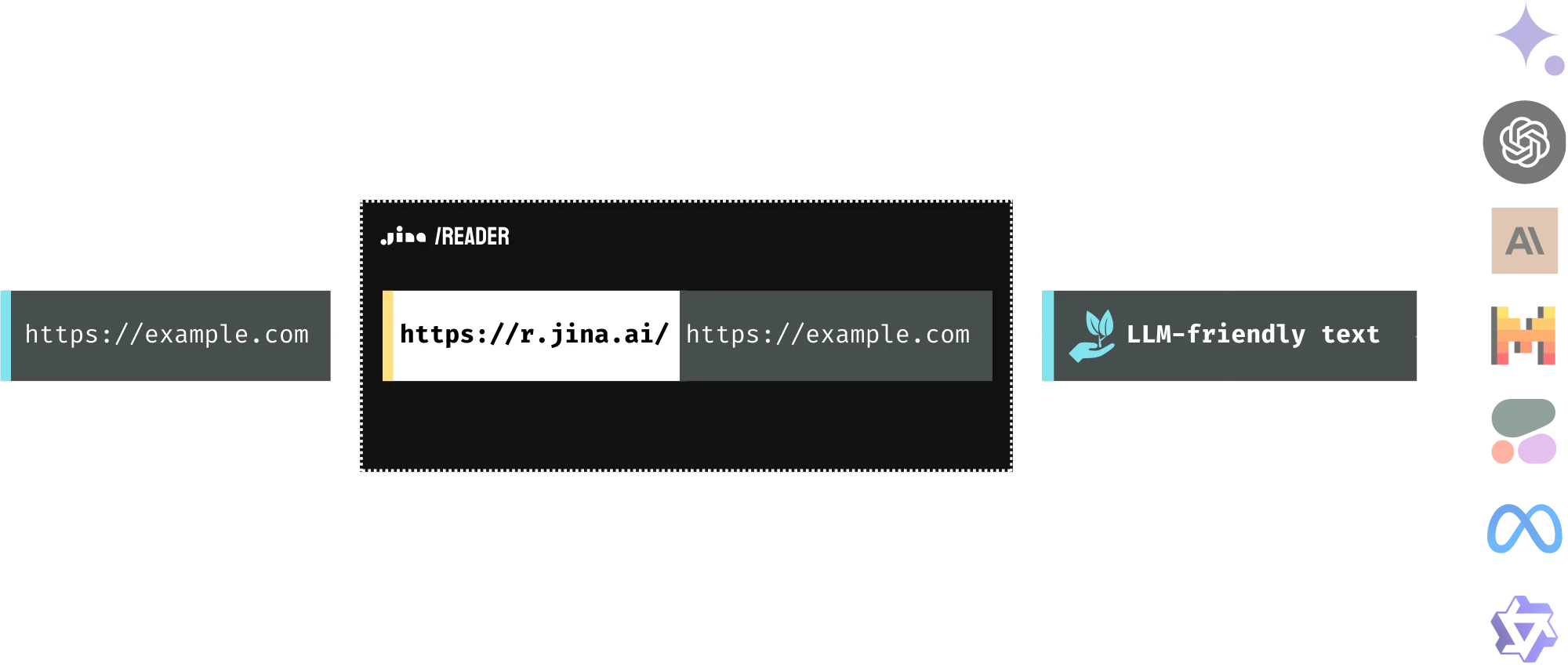
Feeding web information into LLMs is an important step of grounding, yet it can be challenging. The simplest method is to scrape the webpage and feed the raw HTML. However, scraping can be complex and often blocked, and raw HTML is cluttered with extraneous elements like markups and scripts. The Reader API addresses these issues by extracting the core content from a URL and converting it into clean, LLM-friendly text, ensuring high-quality input for your agent and RAG systems. The Reader API is developer infrastructure: it converts a URL you supply into LLM-friendly text so you can build your own search, RAG, and agent systems. It is not a consumer search engine and does not index or rank the web on your behalf; you control which URLs are processed and are responsible for how the output is used.
Raw HTML
Reader Output
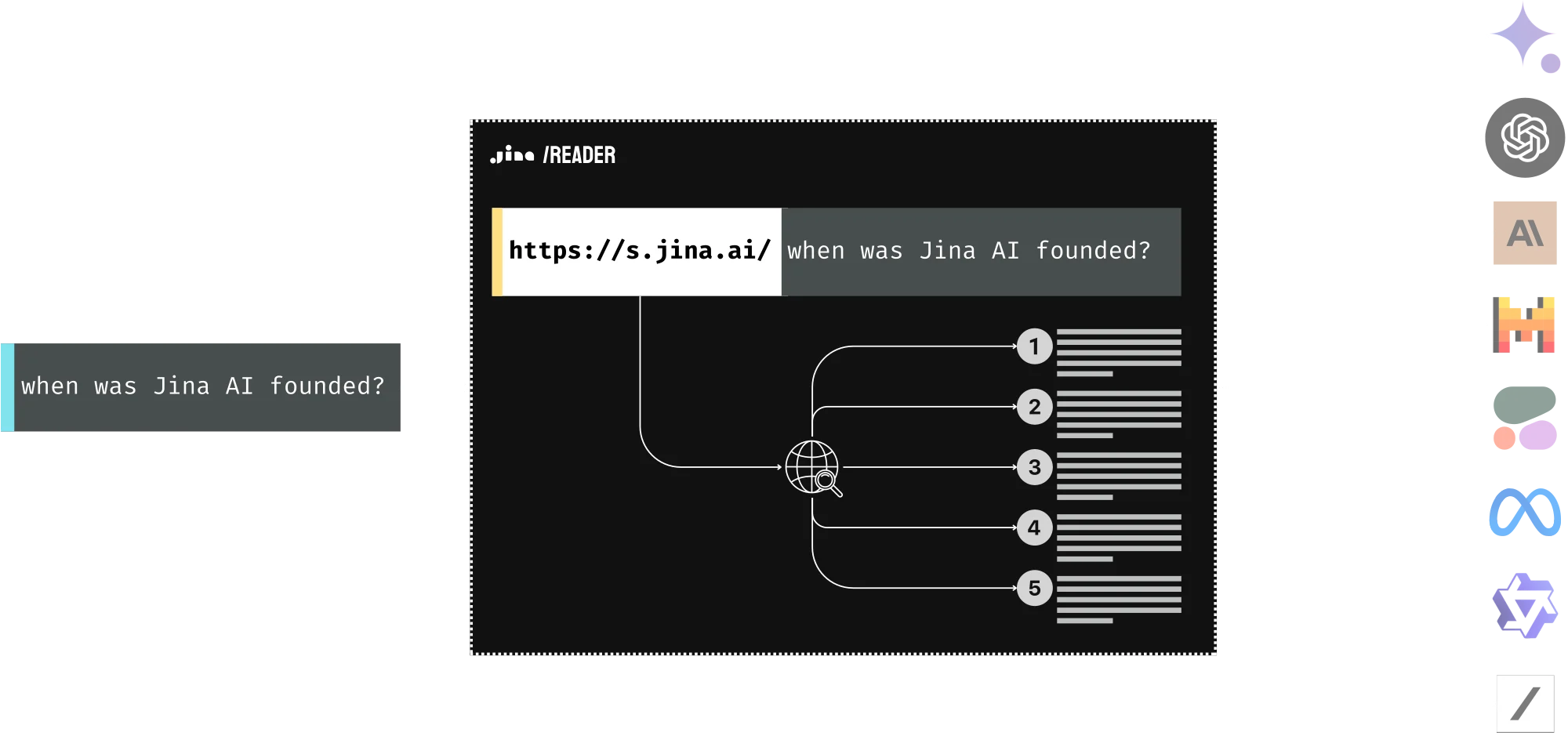
Reader can be used as SERP API. It allows you to feed your LLM with the content behind the search results engine page. Simply prepend
https://s.jina.ai/?q= to your query, and Reader will search the web and return the top five results with their URLs and contents, each in clean, LLM-friendly text. This way, you can always keep your LLM up-to-date, improve its factuality, and reduce hallucinations.info Please note that unlike the demo shown above, in practice you do not search the original question on the web for grounding. What people often do is rewrite the original question or use multi-hop questions. They read the retrieved results and then generate additional queries to gather more information as needed before arriving at a final answer.
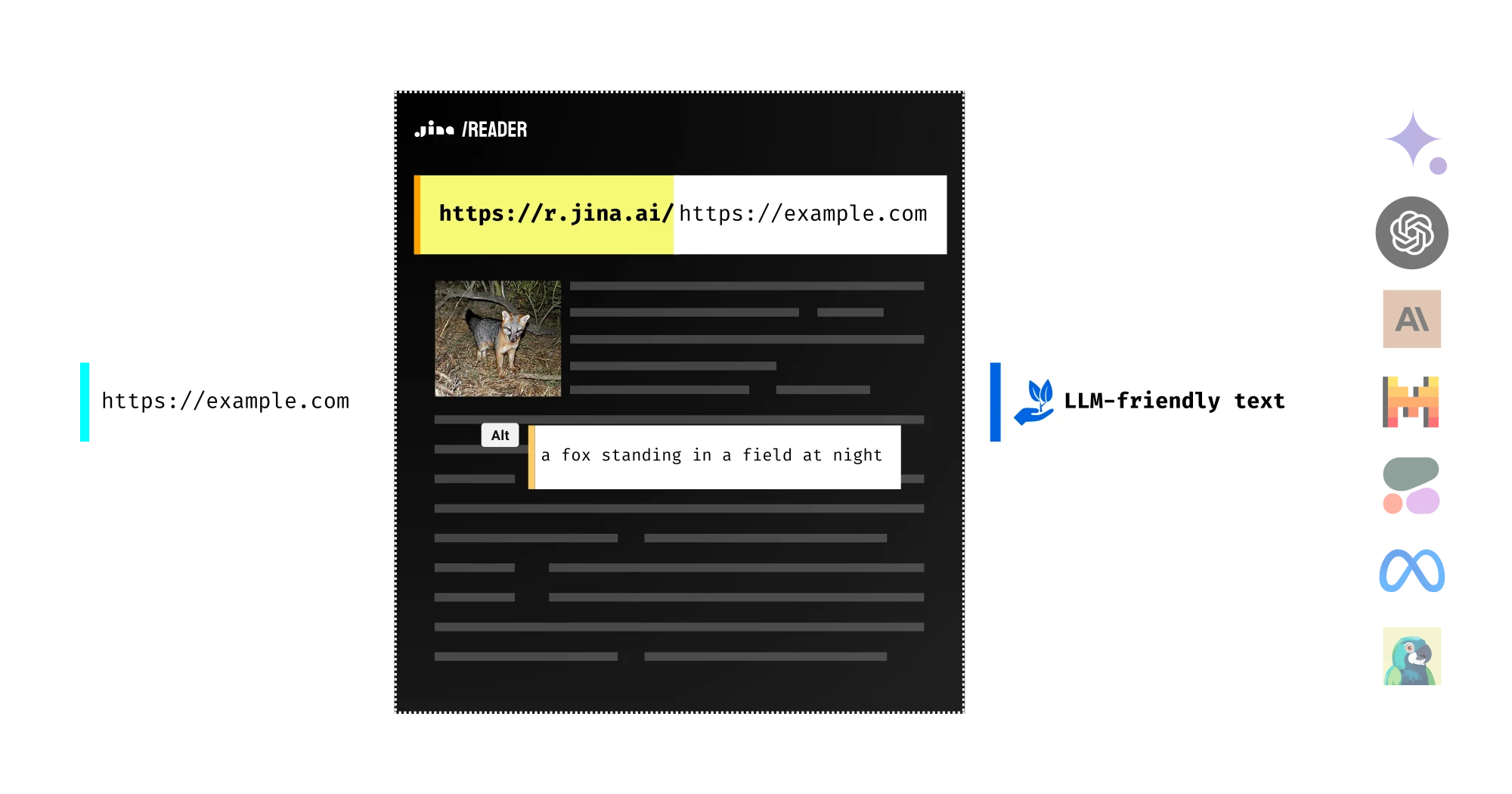
Images on the webpage are automatically captioned using a vision language model in the reader and formatted as image alt tags in the output. This gives your downstream LLM just enough hints to incorporate those images into its reasoning and summarizing processes. This means you can ask questions about the images, select specific ones, or even forward their URLs to a more powerful VLM for deeper analysis!
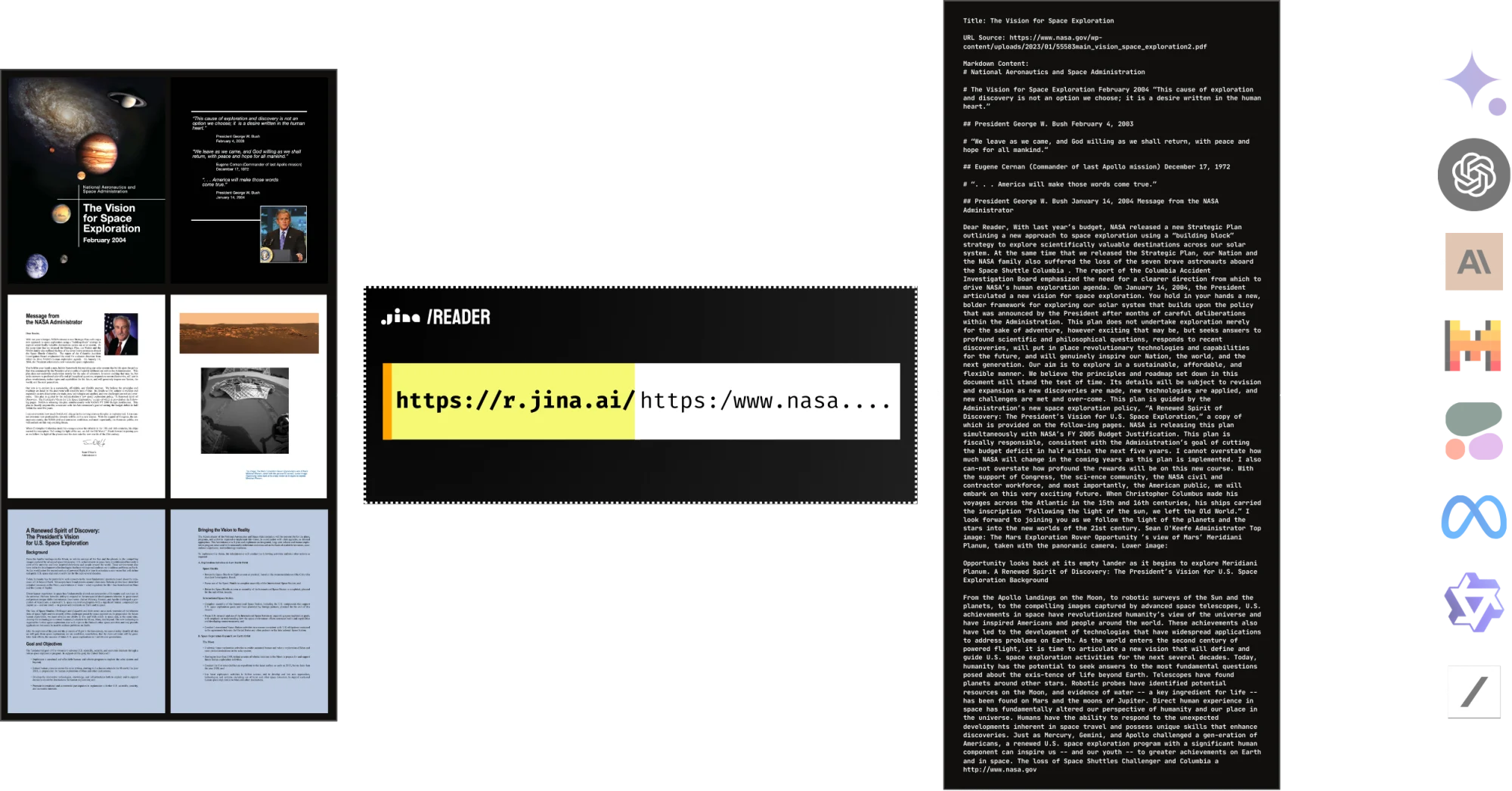
Yes, Reader natively supports PDF reading. It's compatible with most PDFs, including those with many images, and it's lightning fast! Combined with an LLM, you can easily build a ChatPDF or document analysis AI in no time.
The best part? It's free!
Reader API is available for free and offers flexible rate limit and pricing. Built on a scalable infrastructure, it offers high accessibility, concurrency, and reliability. We strive to be your preferred grounding solution for your LLMs.
Rate limit
Rate limits are tracked in two ways: RPM (requests per minute) and TPM (tokens per minute). Limits are enforced per IP/API key and will be triggered when either the RPM or TPM threshold is reached first. When you provide an API key in the request header, we track rate limits by key rather than IP address.
| Product | API Endpoint | Descriptionarrow_upward | w/o API Keykey_off | w/ Free API Keykey | w/ Paid API Keykey | w/ Premium API Keykey | Average latency | Token Usage Counting | Allowed Request | |
|---|---|---|---|---|---|---|---|---|---|---|
| Reader API | https://r.jina.ai | Converts a URL to LLM-friendly text | 20 RPM | 500 RPM | 500 RPM | trending_up5000 RPM | 7.9s | Count the number of tokens in the output response. | GET/POST | |
| Reader API | https://s.jina.ai | Search the web and convert results to LLM-friendly text | block | 100 RPM | 100 RPM | trending_up1000 RPM | 2.5s | Every request costs a fixed number of tokens, starting from 10,000 tokens | GET/POST | |
| Embedding API | https://api.jina.ai/v1/embeddings | Convert text/images to fixed-length vectors | block | 100 RPM & 100,000 TPM | 500 RPM & 2,000,000 TPM | trending_up5,000 RPM & 50,000,000 TPM | ssid_chart depends on the input size help | Count the number of tokens in the input request. | POST | |
| Reranker API | https://api.jina.ai/v1/rerank | Rank documents by query | block | 100 RPM & 100,000 TPM | 500 RPM & 2,000,000 TPM | trending_up5,000 RPM & 50,000,000 TPM | ssid_chart depends on the input size help | Count the number of tokens in the input request. | POST |


Don't panic! Every new API key comes with 10M free tokens!
API Pricing
API pricing is based on the token usage. One API key gives you access to all search foundation products.

With Jina Search Foundation API
The easiest way to access all of our products. Top-up tokens as you go.
Top up this API key with more tokens
Please enter the correct API key to top up.
Understand the rate limit
Rate limits are the maximum number of requests that can be made to an API within a minute per IP address/API key (RPM). Find out more about the rate limits for each product and tier below.
keyboard_arrow_down

What are the costs associated with using the Reader API?
keyboard_arrow_down
How does the Reader API function?
keyboard_arrow_down
Is the Reader API open source?
keyboard_arrow_down
What is the typical latency for the Reader API?
keyboard_arrow_down
Why should I use the Reader API instead of scraping the page myself?
keyboard_arrow_down
Does the Reader API support multiple languages?
keyboard_arrow_down
Does the Reader API respect website access controls?
keyboard_arrow_down
Can the Reader API extract content from PDF files?
keyboard_arrow_down
Can the Reader API process media content from web pages?
keyboard_arrow_down
Is it possible to use the Reader API on local HTML files?
keyboard_arrow_down
Does Reader API cache the content?
keyboard_arrow_down
Can I use the Reader API to access content behind a login?
keyboard_arrow_down
Can I use the Reader API to access PDF on arXiv?
keyboard_arrow_down
How does image caption work in Reader?
keyboard_arrow_down
What is the scalability of the Reader? Can I use it in production?
keyboard_arrow_down
What is the rate limit of the Reader API?
keyboard_arrow_down
What is ReaderLM? How can I use it?
keyboard_arrow_down
How do I extract structured data from webpages?
keyboard_arrow_down
Does Reader actively bypass website anti-bot protection?
keyboard_arrow_down
Will upgrading from a free to a paid API key give me access to more websites?
keyboard_arrow_down
Can I run Reader inside my own infrastructure?
keyboard_arrow_down
Rate limit
Rate limits are tracked in two ways: RPM (requests per minute) and TPM (tokens per minute). Limits are enforced per IP/API key and will be triggered when either the RPM or TPM threshold is reached first. When you provide an API key in the request header, we track rate limits by key rather than IP address.
| Product | API Endpoint | Descriptionarrow_upward | w/o API Keykey_off | w/ Free API Keykey | w/ Paid API Keykey | w/ Premium API Keykey | Average latency | Token Usage Counting | Allowed Request | |
|---|---|---|---|---|---|---|---|---|---|---|
| Reader API | https://r.jina.ai | Converts a URL to LLM-friendly text | 20 RPM | 500 RPM | 500 RPM | trending_up5000 RPM | 7.9s | Count the number of tokens in the output response. | GET/POST | |
| Reader API | https://s.jina.ai | Search the web and convert results to LLM-friendly text | block | 100 RPM | 100 RPM | trending_up1000 RPM | 2.5s | Every request costs a fixed number of tokens, starting from 10,000 tokens | GET/POST | |
| Embedding API | https://api.jina.ai/v1/embeddings | Convert text/images to fixed-length vectors | block | 100 RPM & 100,000 TPM | 500 RPM & 2,000,000 TPM | trending_up5,000 RPM & 50,000,000 TPM | ssid_chart depends on the input size help | Count the number of tokens in the input request. | POST | |
| Reranker API | https://api.jina.ai/v1/rerank | Rank documents by query | block | 100 RPM & 100,000 TPM | 500 RPM & 2,000,000 TPM | trending_up5,000 RPM & 50,000,000 TPM | ssid_chart depends on the input size help | Count the number of tokens in the input request. | POST |
API-related common questions
code
Can I use the same API key across all Jina APIs?
keyboard_arrow_down
code
Can I monitor the token usage of my API key?
keyboard_arrow_down
code
What should I do if I forget my API key?
keyboard_arrow_down
code
Do API keys expire?
keyboard_arrow_down
code
Can I transfer tokens between API keys?
keyboard_arrow_down
code
Can I revoke my API key?
keyboard_arrow_down
code
Why is the first request for some models slow?
keyboard_arrow_down
code
Is my API data used to train your models?
keyboard_arrow_down
code
What are the rate limits for Jina APIs?
keyboard_arrow_down
code
Are there batch size limits for the APIs?
keyboard_arrow_down
code
Are the Jina APIs the same thing as Jina models inside Elastic?
keyboard_arrow_down
Billing-related common questions
attach_money
Is billing based on the number of sentences or requests?
keyboard_arrow_down
attach_money
Is there a free trial available for new users?
keyboard_arrow_down
attach_money
Are tokens charged for failed requests?
keyboard_arrow_down
attach_money
What payment methods are accepted?
keyboard_arrow_down
attach_money
Is invoicing available for token purchases?
keyboard_arrow_down
attach_money
How do I buy a commercial license rather than API tokens?
keyboard_arrow_down
attach_money
Can I pay by invoice or purchase order instead of card?
keyboard_arrow_down
attach_money
I paid, but my balance or rate limit has not changed. What should I check?
keyboard_arrow_down
attach_money
How do I cancel, stop auto top-up, or remove a saved payment method?
keyboard_arrow_down
